

A New Financial Reporting Tool for Sage 300c
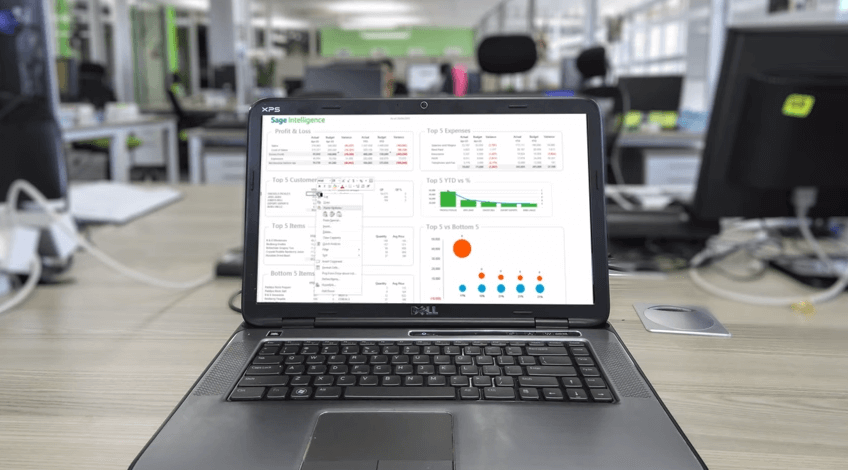
We were recently introduced to the Sage Intelligence Reporting Cloud - a new financial reporting tool that’s embedded right into the Sage 300c web screens beginning with the release of version 2017.1. In this article, we take a closer look at the new reporting features now available to you.
What is Sage Intelligence Reporting Cloud?
In a nutshell, Sage Intelligence Reporting Cloud is a new web-based financial reporting engine that integrates directly into Sage 300c. It offers ready-to-use - and customizable - online reports that can also be viewed in Microsoft Excel®. All reports can be updated and filtered using the accounts, group category, or account groups of your choosing by creating a copy of the report and updating the row sets accordingly.
Key Features & Overview Video
Key features include:
- Ready-to-use reports get you up and running quickly
- Drag-and-drop design for flexibility
- Drill down to supporting detail in Sage 300
- Quick create to generate new reports based on pre-defined criteria
- Import and Export layouts to share with other Sage 300c users
Take a look at this overview video to see Sage Intelligence Reporting Cloud in action.
What You Need to Know
Sage Intelligence Reporting Cloud runs on your Sage 300 server and you can access reports from the Intelligence menu within your Sage 300c web screens. You must have an active Sage 300c subscription and running the most recent version 2017.1 (released December 2016). If you choose to export data to Microsoft Excel®, you’ll need to be running Excel 2013 with Service Pack 1 or above - or running Excel online accessed through Internet Explorer, Chrome, Firefox, or Safari.
Full List of Ready to Use Reports Reporting Cloud YouTube Channel (How-to’s)
Contact us if you have questions about getting started with Sage Intelligence Reporting Cloud.
FAQ
What is Sage Intelligence Reporting Cloud?
It is a web-based financial reporting engine embedded in the Sage 300c web screens starting with version 2017.1, offering ready-to-use and customizable online reports that can also be viewed in Excel.
What are the key features of Sage Intelligence Reporting Cloud?
Ready-to-use reports, drag-and-drop design, drill-down to supporting detail in Sage 300, quick create for new reports, and import/export of layouts to share with other Sage 300c users.
Where do I access Sage Intelligence Reporting Cloud reports?
It runs on your Sage 300 server, and you access reports from the Intelligence menu within your Sage 300c web screens.
What are the requirements to use Sage Intelligence Reporting Cloud?
You need an active Sage 300c subscription running version 2017.1 (released December 2016) or later.
Which Excel versions work with Sage Intelligence Reporting Cloud?
Exporting to Excel requires Excel 2013 with Service Pack 1 or above, or Excel online through Internet Explorer, Chrome, Firefox or Safari.